

Ask your AI.
About production incidents.
Use natural language to query incidents, run analysis, and get fix suggestions directly in Cursor, Kiro, or any MCP-compatible IDE.
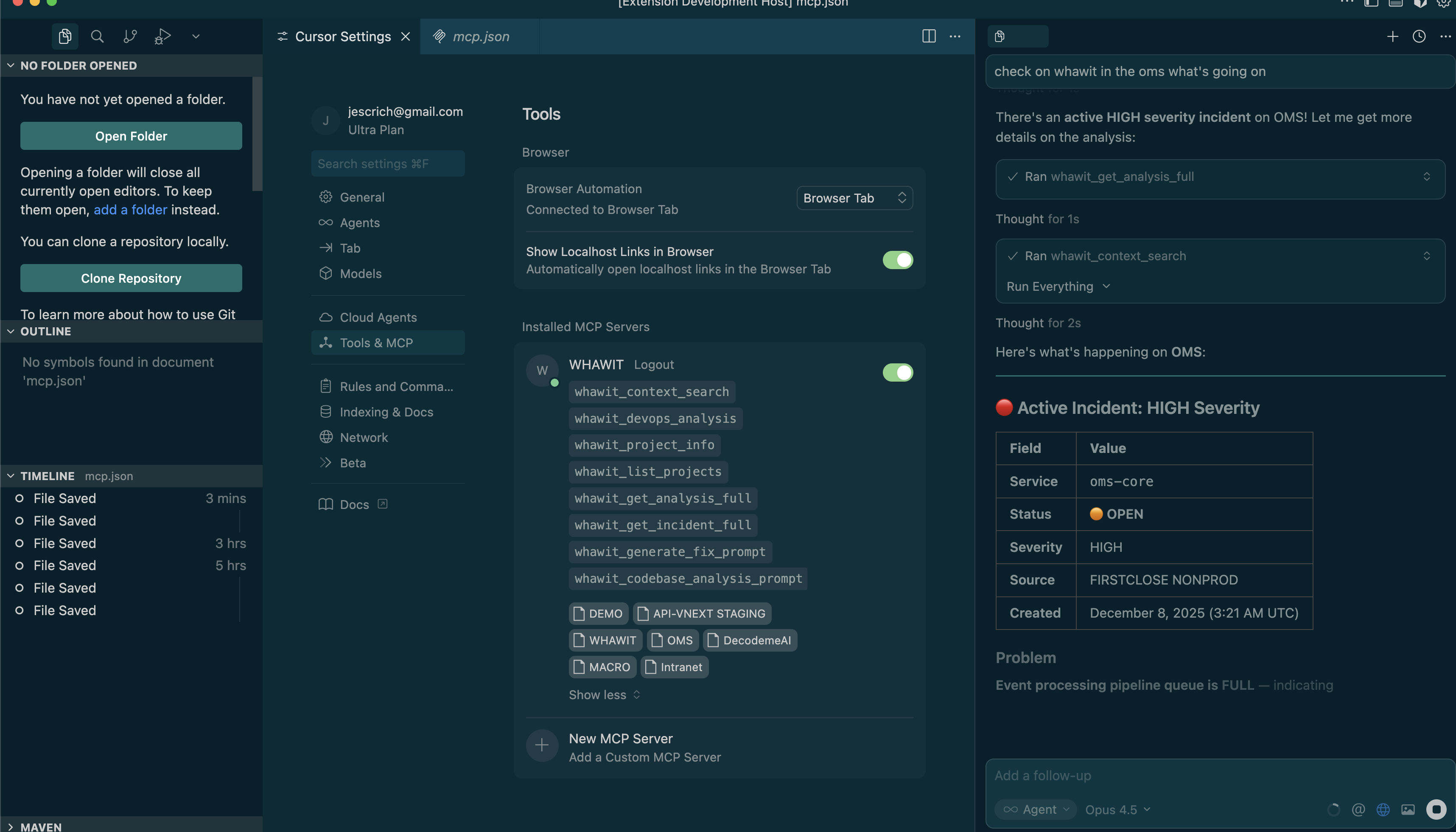
"Do we have any errors on OMS in the last 24 hours with the orders?"
Open Incident Detected
There's a HIGH severity incident currently open for the oms-core service: Event processing pipeline queue is FULL...
8 Powerful Tools at Your Command
Your AI assistant can use these tools to query incidents, analyze issues, and suggest fixes.
whawit_context_search
Search across your project context to find relevant logs, errors, and patterns.
whawit_devops_analysis
Run comprehensive DevOps analysis on your infrastructure and services.
whawit_project_info
Get detailed information about a specific project including status and config.
whawit_list_projects
List all available projects in your Whawit workspace.
whawit_get_analysis_full
Retrieve the complete analysis with all details, insights, and recommendations.
whawit_get_incident_full
Get full incident details including severity, timeline, and affected services.
whawit_generate_fix_prompt
Generate AI-powered fix suggestions based on the incident analysis.
whawit_codebase_analysis_prompt
Analyze your codebase for potential issues related to incidents.
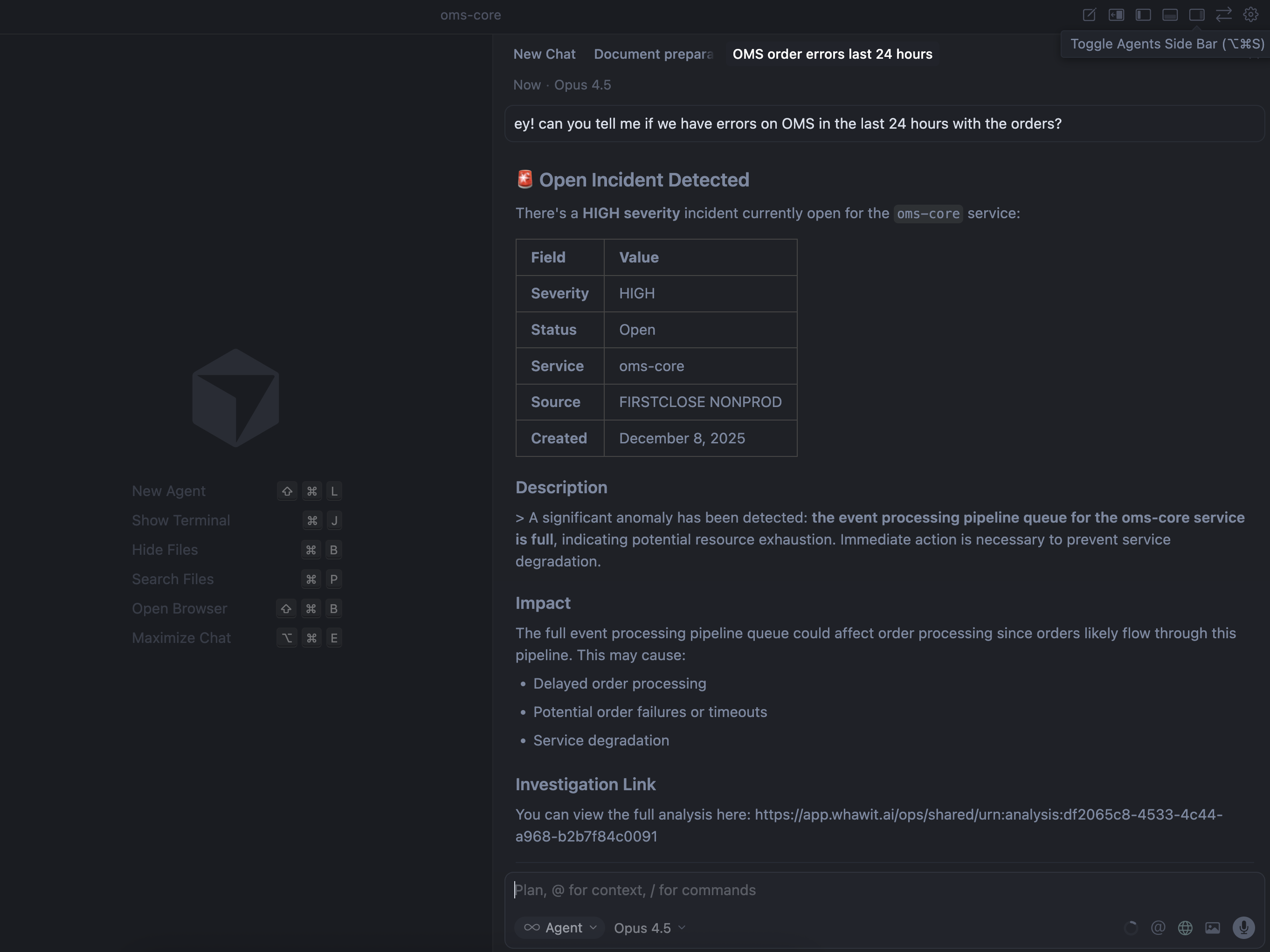
Easy Setup in Any MCP-Compatible IDE
Add Whawit to your IDE's MCP configuration and unlock the full power of AI-assisted incident management.





See MCP in Action
Watch how to investigate incidents using natural language queries in your IDE
Ready to supercharge your AI?
Review the MCP setup guide and connect WHAWIT to your AI-powered IDE for incident investigation workflows.